
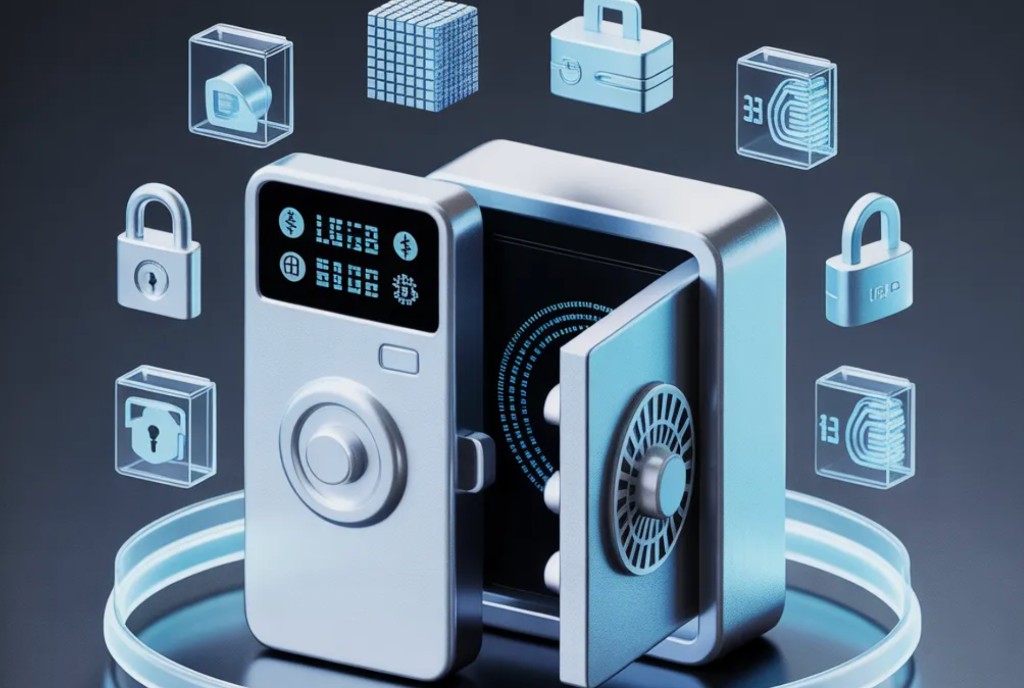
የ Crypto ካርድ ደህንነት፡ በ Binance Card ላይ ገንዘብን እንዴት መጠበቅ እንደሚቻል
በ Binance Card ላይ ያሉ ገንዘቦች በ Binance ልውውጥ ላይ የተያዙ እንጂ በተለየ የመንግስት ኢንሹራንስ የባንክ ሂሳብ ውስጥ አይደሉም. ይህ ማለት የልውውጡ አደጋዎች (የመለያ ጠለፋ፣ አስጋሪ፣ የቁጥጥር እገዳ) በካርድ ቀሪ ሒሳብ ላይም ይሠራሉ። ዋናው ህግ፡ በሚቀጥሉት ቀናት ሊያወጡት ያቀዱትን መጠን ብቻ በካርዱ ላይ ያስቀምጡ።
አጭር፡2FA ን ያንቁ፣ የሃርድዌር ቁልፍን ወይም Google አረጋጋጭን ይጠቀሙ (ኤስኤምኤስ አይደለም)፣ በካርዱ ላይ ገደቦችን ያስቀምጡ፣ በልውውጡ ላይ ብዙ መጠን አያከማቹ። ለማከማቻ - ቀዝቃዛ ቦርሳ ወይም የሃርድዌር ቦርሳ.
Binance ካርድ ምን አደጋዎች አሉት?
ቁልፍ ድክመቶች፡-
- የ Binance መለያ ተጠልፏል- በማስገር፣ በደካማ የይለፍ ቃል ወይም ሲም-ስዋፕ (ኤስኤምኤስ መጥለፍ)። አጥቂው መለያውን ካገኘ ካርዱንም ያገኛል።
- አስጋሪ ኢሜይሎች እና ድር ጣቢያዎች- የውሸት binance.com ጎራዎች (binnance.com፣ binance.net፣ ወዘተ)። አድራሻውን እራስዎ ያስገቡ ወይም ዕልባት ይጠቀሙ።
- የቁጥጥር ስጋት- Binance በባለሥልጣናት ጥያቄ መሠረት መለያን ሊያቆመው ይችላል። በአክሲዮን ልውውጥ ላይ ያለው ገንዘብ በመንግስት ዋስትና አይሰጥም።
- የካርድ አካላዊ ኪሳራ- የቪዛ ካርድ፣ መረጃ በነጋዴ ከተለቀቀ ሊጣስ ይችላል።
Binance ን ለመጠበቅ ባለ ሁለት ደረጃ ማረጋገጫን እንዴት ማዘጋጀት ይቻላል?
- በ Binance መተግበሪያ ውስጥ የደህንነት ክፍሉን ይክፈቱ።
- አረጋጋጭን አንቃ (Google አረጋጋጭ ወይም Binance አረጋጋጭ)። በSIM ስዋፕ ጥቃቶች ምክንያት የኤስኤምኤስ ማረጋገጫ በጣም ደካማ ነው።
- የማረጋገጫውን የመጠባበቂያ ቁልፍ (የዘር ሐረግ) ከመሣሪያው ውጭ ደህንነቱ በተጠበቀ ቦታ ያስቀምጡ (አትም እና ካዝና ውስጥ ያስቀምጡት)።
- የመግቢያ እና የግብይት ማሳወቂያዎችን በኢሜል ያግብሩ።
- እንደ ተጨማሪ ምክንያት የሃርድዌር ደህንነት ቁልፍ (YubiKey) ያክሉ።
አንድ ካርድ ሲጣስ ኪሳራዎችን እንዴት መገደብ ይቻላል?
ተግባራዊ እርምጃዎች፡-
- በ "ካርድ" ቀሪ ሒሳብ ላይ የሚሠራውን መጠን ብቻ ያስቀምጡ- ቀሪውን ወደ ቀዝቃዛ የኪስ ቦርሳ (ሌጀር፣ ትሬዞር) ወይም ገቢ ለማግኘት ያስተላልፉ።
- የግብይት ገደብ ያዘጋጁበካርድ ቅንጅቶች ውስጥ: ከፍተኛው የአንድ ክፍያ መጠን እና የዕለታዊ ገደብ.
- ገንዘብ ማውጣትን ያሰናክሉ።ኤቲኤም የማይጠቀሙ ከሆነ።
- ለእያንዳንዱ ግብይት ማሳወቂያ ይቀበሉበግፊት እና በኢሜል.
የ Binance ካርድዎ ወይም መለያዎ ከተጣሰ ምን ማድረግ አለብዎት?
- ወዲያውኑ ካርዱን በማመልከቻው (Binance - Card - Freeze) ያቀዘቅዙ።
- የይለፍ ቃልዎን ይቀይሩ እና 2FA በአዲሱ መሣሪያዎ ላይ ዳግም ያስጀምሩት።
- በይፋዊ ድር ጣቢያ በኩል የ Binance ድጋፍን ያነጋግሩ (ኢሜል አይደለም!).
- ስምምነቱን ወደ ሰጪው ባንክ (ቪዛ) ያሳውቁ።
- ሁሉንም ግብይቶች በ Binance ድጋፍ በኩል ይመዝግቡ።
ስለ crypto ካርዶች ደህንነት ተደጋግሞ የሚጠየቁ ጥያቄዎች
Binance Card ከመደበኛ የባንክ ካርድ የበለጠ ደህንነቱ የተጠበቀ ነው?
ተመላሽ እንዳይከፍል ጥበቃን በተመለከተ፣ የለም፡ crypto ግብይቶች እንደ መደበኛ የባንክ ክፍያዎች የመመለሻ ዘዴ የላቸውም። ነገር ግን የ Binance ካርድ ከመጠን በላይ የመጠቀም አደጋ የለውም እና ወዲያውኑ በመተግበሪያው ውስጥ ካርዱን ማሰር ይችላሉ።
ካርዱን ለመጠቀም በ KYC ውስጥ ማለፍ አለብኝ?
አዎ። የካርዱ ጉዳይ እና ንቁ ስራ በ Binance (ፓስፖርት + የአድራሻ ማረጋገጫ) ላይ ሙሉ የማንነት ማረጋገጫ ያስፈልገዋል.
ዋና ቁጠባዎን በ crypto ደህንነቱ በተጠበቀ ሁኔታ እንዴት ማከማቸት ይቻላል?
ለረጅም ጊዜ ማከማቻ የሃርድዌር ቦርሳዎችን (Ledger, Trezor) ይጠቀሙ. ወደ ልውውጥ እና ካርድ - የግብይቱ መጠን ብቻ. ስለ የኪስ ቦርሳ ዓይነቶች የበለጠ ያንብቡወደ crypto wallets መመሪያ.
የሲም ስዋፕ ምንድን ነው እና እራስዎን ከእሱ እንዴት መጠበቅ እንደሚችሉ?
ሲም-ስዋፕ በቴሌኮም ኦፕሬተር አማካኝነት ሲም ካርድን በድጋሚ መስጠት ነው። አጥቂው የእርስዎን ቁጥር ተቀብሎ የኤስኤምኤስ ኮዶችን ያጠለፈል። ጥበቃ፡ SMS-2FA ለአረጋጋጭ አፕሊኬሽን በመተው እና ያለግል ጉብኝት ሲም ዳግም መስጠት የተከለከለ መሆኑን ኦፕሬተሩን ያሳውቁ።
የ Binance መለያዎ ከተጠለፈ ወይም ካርድዎ ከተሰረቀ ምን ማድረግ አለብዎት?
በመጀመሪያዎቹ 15-30 ደቂቃዎች ውስጥ ያለው ምላሽ ፍጥነት ምን ያህል መቆጠብ እንደሚቻል ይወስናል. ስምምነት በሚፈጠርበት ጊዜ የደረጃ በደረጃ የድርጊት መርሃ ግብር፡-
| ቅድሚያ | ድርጊት | የት |
|---|---|---|
| 1. ወዲያውኑ | ካርዱን በማመልከቻው ውስጥ ያቁሙ (ካርድ -> ፍሪዝ) | Binance መተግበሪያ |
| 2. ወዲያውኑ | ሁሉንም የኤፒአይ ቁልፎች ሰርዝ (ኤፒአይ አስተዳደር -> ሁሉንም ሰርዝ) | Binance ድር |
| 3. ወዲያውኑ | መለያዎን ለማገድ ድጋፍ ሰጪን ያነጋግሩ | ድጋፍ.binance.com |
| 4. የመጀመሪያ ሰዓት | የግብይት ምርመራ ጥያቄ አስገባ | የቀጥታ ውይይት |
| 5. የመጀመሪያ ቀን | ኢሜይል + 2FA + ይለፍ ቃል ከአዲስ መሣሪያ ቀይር | የደህንነት ቅንብሮች |
Binance ማጭበርበር በሚፈጠርበት ጊዜ ገንዘቡ ተመላሽ እንዲሆን ዋስትና የሚሰጠው በተወሰኑ ጉዳዮች ላይ ብቻ ነው (ያልተፈቀደ መዳረሻ ተረጋግጧል)። ራስን መከላከል የበለጠ አስፈላጊ ነው፡ ከኤስኤምኤስ-2ኤፍኤ ይልቅ የሃርድዌር ቁልፍ (YubiKey) ተጠቀም፣የዘር ሀረጎችን በደመና ውስጥ አታስቀምጥ፣አብዛኛውን BTCህን ከመለዋወጥ ይልቅ በቀዝቃዛ ቦርሳ ውስጥ አስቀምጠው። ለማዕድን ክፍያ፣ ሁሉንም ነገር በ Binance ላይ ከማቆየት ይልቅ በየሳምንት ወይም ሁለት ጊዜ የተጠራቀመ ገንዘብዎን ወደ ሃርድዌር ቦርሳዎ እንዲያወጡት እንመክራለን። ከመዋኛ ገንዳዎች ደህንነቱ የተጠበቀ የመውጣት ወቅታዊ ሁኔታዎች - በገንዳ BTC.
የታችኛው መስመር: የ crypto ንብረቶች ደህንነት - ስልታዊ አቀራረብ
እ.ኤ.አ. በ 2026 የ crypto መለያዎች ደህንነት በሦስት መርሆዎች ላይ የተመሠረተ ነው-በኤስኤምኤስ-2ኤፍኤ ፋንታ የሃርድዌር ቁልፍ ፣ የሙቅ እና የቀዝቃዛ ቦርሳዎች መለያየት ፣ ከልውውጡ መደበኛ መውጣት። ይህ በተለይ ለማእድኑ በጣም አስፈላጊ ነው፡ መደበኛ ክፍያዎች ይከማቻሉ እና የልውውጡን መዳረሻ ማጣት ማለት የወራት ስራን ማጣት ማለት ነው። 0.01-0.05 BTC ሲከማቹ ከገንዳው ውስጥ አውቶማቲክ መውጣትን በቀጥታ ወደ ሃርድዌር ቦርሳዎ ያዘጋጁ። ለተለያዩ ገንዳዎች የማስወጣት ሁኔታዎች እና አነስተኛ መጠን - በርቷልገንዳ BTC.